
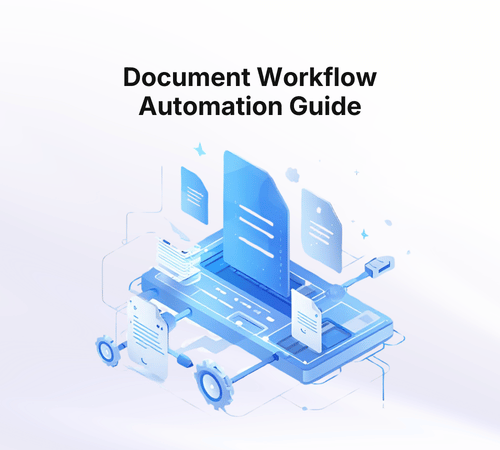
Document workflow automation is the practice of using technology to manage the entire lifecycle of document-driven business processes — from the moment a document enters your organization to the final action it triggers. It connects document capture, data extraction, validation, routing, approval, and integration into a single automated flow.
This matters because most organizations don't have a document problem. They have a workflow problem. Extracting data from a PDF is only useful if that data flows into the right system, gets validated against business rules, reaches the right person for review, and triggers the next step in the process. When any of these steps are manual, the entire workflow bottlenecks.
The market for document workflow automation solutions has grown rapidly as organizations recognize that point solutions for OCR or extraction don't solve the operational challenge. You need the full pipeline.
What Is Document Workflow Automation?
At its core, document workflow automation replaces manual, disconnected document handling with structured, automated processes. Instead of an employee receiving a document, opening it, reading through it, typing data into a system, emailing a colleague for approval, and filing the document somewhere — the entire sequence happens automatically with human intervention only where judgment is actually needed.
A typical automated document workflow includes these stages:
1. Document Intake: Documents enter the system through email, file upload, API, or integration with existing tools. The platform accepts any format — PDFs, scans, images, photos, forms.
2. Classification: AI determines what type of document it is (invoice, bank statement, contract, ID, claim form) and routes it to the appropriate processing pipeline.
3. Data Extraction: AI Processors extract structured data from the document — names, amounts, dates, line items, signatures, checkboxes, and more. This works across clean digital documents and messy handwritten scans alike. See our guide to data extraction tools and techniques for a deeper look at how modern AI handles format variability.
4. Validation and Rules: Extracted data is checked against business rules, cross-referenced with other documents or external systems, and scored against thresholds you define. Is the invoice amount within approved limits? Does the bank statement income match the tax return? Is the claim within policy coverage?
5. Routing and Review: Based on validation results, documents are either approved automatically or routed to the right person for human review. Complex exceptions go to senior reviewers. Clean documents flow through without delay.
6. Actions and Integration: Once processed, data is pushed to downstream systems — CRMs, ERPs, loan origination systems, accounting platforms, or notification systems. The workflow triggers whatever comes next in your business process.
7. Audit and Insights: Every step is logged for compliance. Dashboards track processing volumes, exceptions, bottlenecks, and performance trends.
Document Workflow Automation vs. Document Management vs. OCR
These terms get conflated, but they solve different problems:
OCR (Optical Character Recognition): Reads text from images and PDFs. That's it. You get raw text output that still needs to be structured, validated, and routed manually.
Document Management: Stores and organizes documents. Think SharePoint or Google Drive. Great for finding files, but doesn't process them or extract actionable data.
Document workflow automation: The complete solution. Ingests documents, extracts data, applies business logic, routes for review, triggers actions, and integrates with your systems. This is what actually replaces manual work.
Key Use Cases for Document Workflow Automation
Financial Services and Lending
Loan applications are the textbook use case for document workflow automation. Each application involves bank statements, tax returns, IDs, proof of income, and employment verification. Manual processing takes hours per application. Automated workflows process the same documents in minutes, validate data across documents, and route exceptions to the right analyst.
Financial services teams typically see 80%+ reduction in processing time with consistent accuracy improvements.
Insurance
Claims processing, underwriting, and policy administration all run on documents. Insurance document automation handles the variety of document types (claim forms, medical records, photos, invoices) and the complexity of cross-document validation that insurance workflows demand.
Supply Chain and Procurement
Invoices, purchase orders, bills of lading, packing lists, and customs documents flow constantly through supply chain operations. Automating the matching, validation, and approval of these documents eliminates the reconciliation headaches that plague procurement teams.
HR and Onboarding
Employee onboarding generates a predictable set of documents: offer letters, ID verification, tax forms, background check authorizations, benefits enrollment. HR document automation standardizes this process across every new hire.
How to Evaluate Document Workflow Automation Platforms
When choosing a document workflow automation platform, evaluate these capabilities:
Extraction accuracy on YOUR documents: Every vendor claims 95%+. Test with your actual document types, including your messiest scans and most varied formats. Accuracy on demo documents is meaningless.
Workflow flexibility: Can operations teams build and modify workflows without engineering? Can you add validation rules, routing logic, and approval steps through a visual interface?
Human-in-the-loop support: Not everything should be fully automated. The platform should let you define exactly where humans review, with pre-organized data and context so reviewers can make fast decisions.
Integration architecture: How does extracted data reach your downstream systems? REST APIs, webhooks, native integrations? The platform should fit into your existing tech stack, not require you to rebuild around it.
Pricing model: Per-page pricing sounds cheap at low volumes but explodes at scale. Flat subscription pricing is more predictable and cost-effective for growing operations.
Implementation speed: How quickly can you go from trial to processing real documents? Platforms that require months of professional services delay your ROI.
How Floowed Approaches Document Workflow Automation
Floowed was built specifically for document workflow automation — not just document extraction with a workflow bolted on afterward. The platform combines six core components:
AI Flows: Design end-to-end document workflows visually. Define the path from document intake to final action, with branching logic based on document type, extracted data, or validation results.
AI Processors: Extract and structure data from PDFs, scans, images, and forms. Trained on real-world documents including low-quality scans and complex layouts.
Rules Engine: Apply validation logic, thresholds, calculations, and conditional routing. Define custom metrics, scoring models, and business rules without code.
Human Review: Add manual review steps exactly where needed. Reviewers see pre-organized data with flagged exceptions, so they focus on judgment rather than data entry.
Actions: Trigger automations, integrations, notifications, and data pushes to downstream systems when documents are processed.
Insights: Track processing volumes, exception rates, bottlenecks, and workflow health through real-time dashboards.
"Floowed has transformed our loan processing, saving our team hours each day sifting through bank statements and validating documents. We've cut review time by over 80%." — María C., Head of Credit Operations
Document Workflow Automation ROI
The ROI of document workflow automation compounds across multiple dimensions:
Processing speed: Documents processed in seconds to minutes instead of hours. Complete workflows finish in minutes instead of days.
Error reduction: 90%+ reduction in manual data entry errors. Automated validation catches inconsistencies that fatigued humans miss.
Scalability: Handle 5-10x document volumes without proportional headcount increases. Growth doesn't mean hiring more document reviewers.
Compliance: Complete audit trails for every document, every extraction, every routing decision. Regulatory reporting becomes straightforward instead of a scramble.
Employee satisfaction: Teams stop doing repetitive document handling and focus on the judgment-intensive work they were hired for.
Getting Started
The fastest path to value is starting with your single most painful document workflow. For most organizations, that's one of these:
• Loan application processing
• Invoice approval and matching
• Claims intake and routing
• Customer onboarding document verification
Pick one workflow, map the steps, identify where manual effort lives, and automate it. Once you've proven ROI on one workflow, expansion to others follows naturally.
Talk to the Floowed team to start your first automated document workflow. For a deeper look at how document workflow automation applies specifically to AP and financial services operations, see Floowed's financial services AP solution.
Frequently Asked Questions
What is document workflow automation?
Document workflow automation is the use of software to handle the intake, classification, extraction, validation, routing, and approval of documents without manual intervention for each step. It replaces manual review queues with automated processing for predictable cases, routing only exceptions and compliance-required cases to human reviewers. The goal is to process documents faster, more accurately, and with a complete audit trail, regardless of volume.
How does document workflow automation differ from document management?
Document management is about storing, organizing, and retrieving documents. Document workflow automation is about what happens to documents in transit: extracting data, validating it, routing it to the right person or system, and recording every action. The two are complementary: a document management system is the destination, while workflow automation handles the journey from intake to filing.
What are the key benefits of automating document workflows for operations teams?
The main benefits are faster processing times, reduced headcount for repetitive review tasks, lower error rates on extraction and validation, and a complete audit trail that compliance teams can query. At scale, automation also reduces the cost per document processed significantly and allows teams to handle volume spikes without proportionally increasing staff. Exception handling becomes more consistent because the rules are configured once rather than applied differently by each reviewer.
What should operations teams look for in a document workflow automation platform?
Look for configurable document types and validation rules, so operations teams can add new document types without engineering support. Prioritize platforms with built-in human review interfaces, field-level confidence scoring, and automatic audit logging. Integration flexibility matters too: the platform should connect to your existing systems via API or webhook without requiring a full rebuild of your current stack.
How long does it take to implement document workflow automation?
Implementation timelines vary by complexity. Purpose-built platforms can be operational for common document types in days to weeks. Full deployment across multiple document types with custom validation rules, system integrations, and team training typically takes four to twelve weeks depending on the number of document types and the complexity of downstream integrations. Building a custom solution in-house takes significantly longer, typically three to six months before reaching production quality.


%20(1).png)